Skip the blank page.
Use starter templates and shopper-objection strategies to draft benefits, then make every line accurate for your products.
PRODUCT BENEFITS FOR SHOPIFY
Make the details that matter easy to see. Create reusable benefits with icons, show them on your product pages, and find the gaps in your messaging.
14-day free trial $4.99/month or $49/year, USD
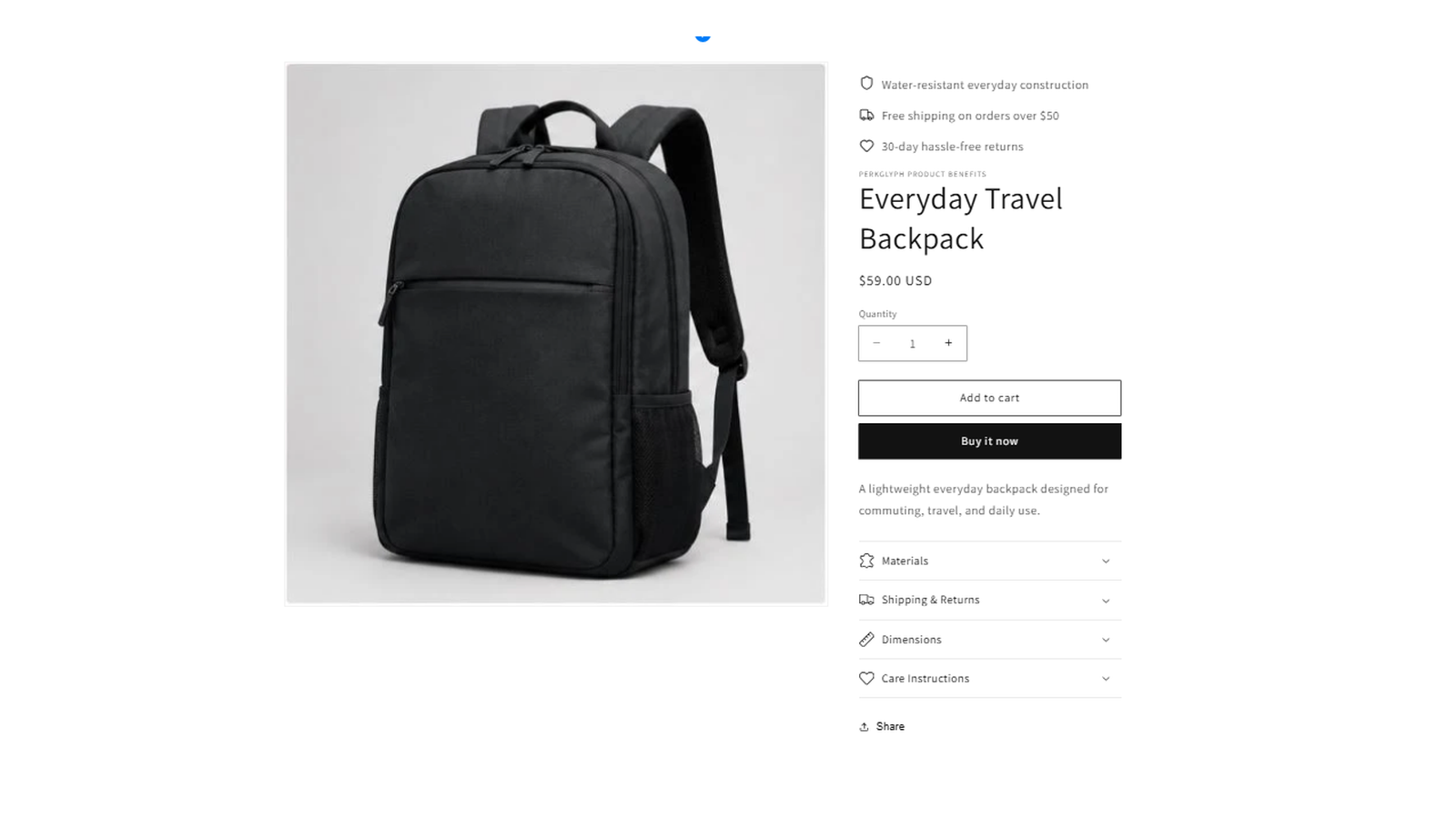
CLEAR MESSAGING, LESS REPETITION
Keep your product benefits consistent without making every product say the same thing.
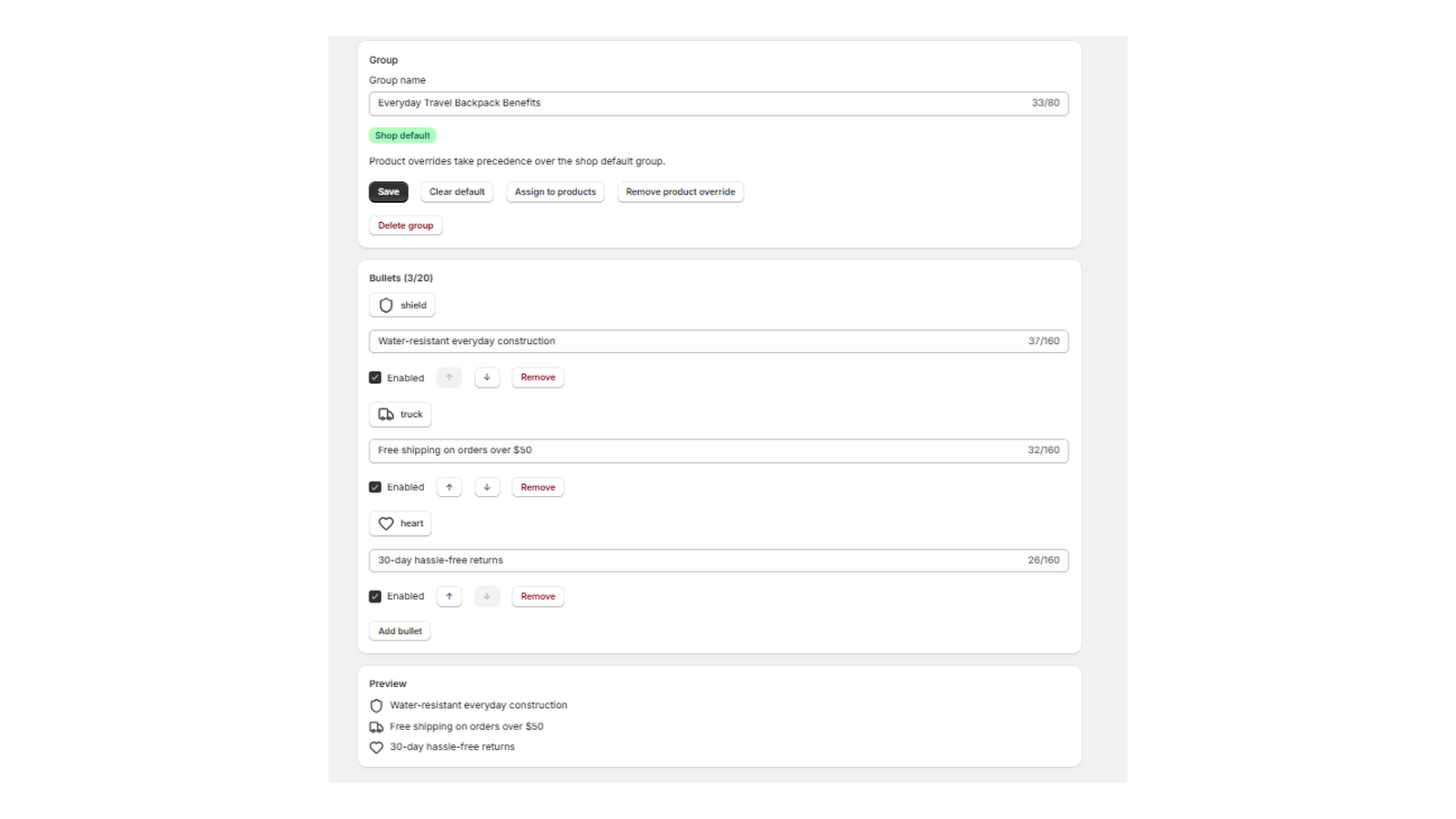
Start with a template or a shopper question, then edit the wording and choose from searchable icons. Reorder benefits, hide a line, and preview your group before assigning it.
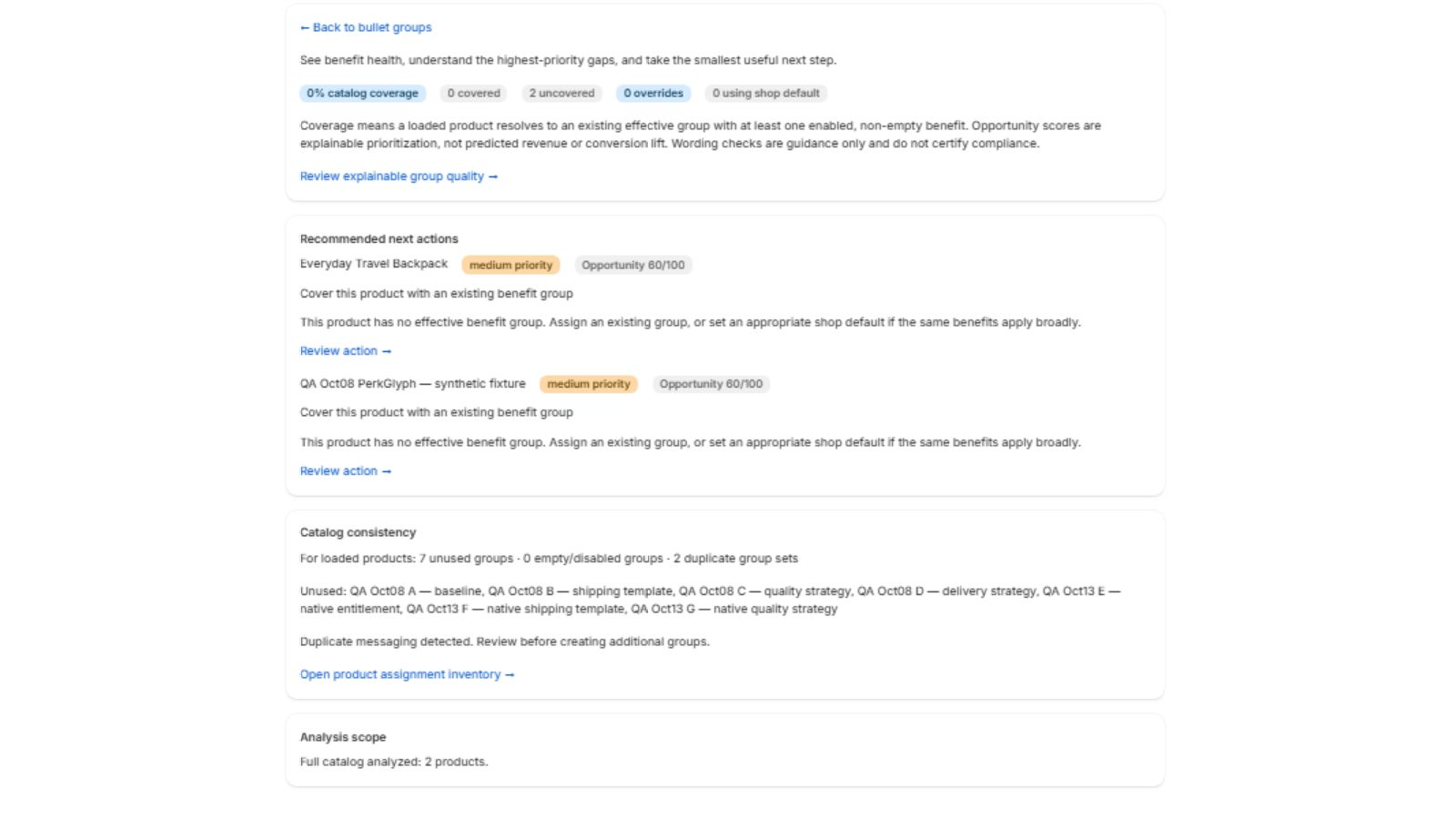
Benefit Intelligence highlights uncovered products, unused or similar groups, and suggested next actions. See why a product is prioritized, then go straight to the work that needs attention.
Analysis is labeled full, partial or unknown. Opportunity scores prioritize messaging work; they do not predict revenue or conversion lift. Wording guidance does not verify a claim.
Use starter templates and shopper-objection strategies to draft benefits, then make every line accurate for your products.
Adjust responsive layouts, desktop columns, spacing, colors and sizing in Shopify’s Theme Editor.
The storefront block uses local CSS and inline icons. PerkGlyph adds no storefront JavaScript and has no pageview limits.
FROM INSTALLATION TO YOUR PRODUCT PAGE
Work in your Shopify admin, then style the result in your theme.
Open the Shopify App Store listing, install the app and review your plan in Shopify.
Edit a starter group or create your own. Set a shop default or assign a group to particular products.
Add PerkGlyph to a product template that supports app blocks. Style it, save your theme and check your product page.
SIMPLE PRICING
Get the benefit tools, the Intelligence checks and the storefront block together.
Install, subscribe and manage your billing through Shopify.
$4.99/ month
or $49 / year · USD
Prices are in USD. Review the current plan and billing terms in Shopify before subscribing.
A FEW USEFUL ANSWERS
You create and manage benefits in the app, then add the PerkGlyph benefits block in Shopify’s Theme Editor. Your product template needs to support app blocks. See the setup guide for the steps.
Yes. A product-specific group takes priority over the shop default. A product without an override uses the default, and a product with neither shows no benefits. Manage these choices from the product assignment inventory.
It checks your configured benefit coverage, group consistency and wording, and suggests explainable next actions. It labels incomplete catalog analysis. It does not report shopper traffic, conversions or revenue.
Through Shopify. The buttons on this page open PerkGlyph’s App Store listing. Review the plan and trial terms in Shopify before approving a subscription.
Start with the setup guide and FAQ, or email perkglyph.support@gmail.com.
LET YOUR PRODUCT BENEFITS STAND OUT